 Written by
 The Ultimate Guide to Game Controller Testers: Ensuring Optimal Performance for Gamers
In the world of gaming, precision and responsiveness are paramount. Whether you’re exploring vast open worlds, racing at breakneck speeds, or engaging in intense combat, your controller is your gateway to the game. A malfunctioning controller can ruin the entire gaming experience. From a drifting joystick to an unresponsive button, even the smallest problem can lead to frustrating moments in gameplay. This is where game controller testers come into play.
A game controller tester is a tool designed to evaluate and ensure the functionality of your gaming controller. By testing the various components of the controller, these testers allow gamers to identify potential issues before they disrupt gameplay. In this comprehensive guide, we’ll dive deep into the importance of game controller testers, how they work, and why they are essential for both casual and professional gamers.
What is a Game Controller Tester?
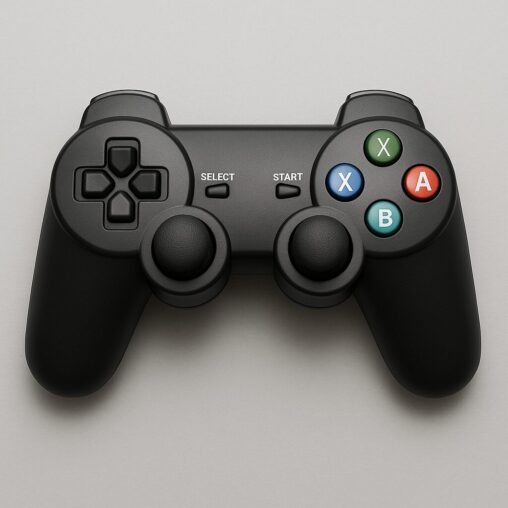
A game controller tester is a device or software application used to evaluate the functionality of a game controller. The primary objective of a controller tester is to ensure that all buttons, analog sticks, triggers, and other input methods on the controller are responsive and working correctly. These testers allow gamers to check for dead buttons, drifting analog sticks, unresponsive triggers, and other issues that may hinder the gaming experience.
There are two main types of game controller testers: software-based testers and hardware-based testers. Software-based testers are typically available online or as downloadable applications, while hardware-based testers are physical devices that provide more in-depth diagnostics.
Types of Game Controller Testers
- Software-Based Game Controller Testers
Software-based testers are easily accessible and can be used directly from a computer or mobile device. These testers usually involve connecting the controller to a device via USB or Bluetooth and then checking for responsiveness across the various inputs. Software-based testers are often free or low-cost and are ideal for casual gamers who want a quick check of their controller’s performance.
Some popular software-based game controller testers include:
- GamepadTester.com: An online tool that allows users to test their controller’s buttons, joysticks, triggers, and vibration functions.
- Joystick Tester: A downloadable application for Windows and macOS that provides a detailed breakdown of button presses, analog stick movements, and trigger sensitivity.
- Hardware-Based Game Controller Testers
Hardware-based testers are more advanced and are typically used by repair technicians or manufacturers. These testers measure electrical signals sent from the controller’s internal components, allowing for precise diagnostics of any hardware issues. While these testers are more expensive and less accessible for casual gamers, they offer a level of detail that software-based testers cannot.
Examples of hardware-based game controller testers include:
- H2O Controller Tester: A professional-grade device used by repair shops to measure input signals and detect hardware faults.
- USB Gamepad Tester: A compact, portable device that connects directly to a controller via USB and checks basic functionality, including button presses and analog stick movements.
Why Game Controller Testers Are Essential for Gamers
1. Avoid Gameplay Disruptions
The last thing any gamer wants is to encounter an issue with their controller in the middle of an intense gaming session. A malfunctioning button, drifting analog stick, or unresponsive trigger can severely impact gameplay, especially in competitive settings. Game controller testers help detect such issues early, ensuring that your controller is functioning properly before you start playing. By regularly testing your gamepad, you can avoid frustrating disruptions and ensure that your gaming experience is smooth and enjoyable.
2. Optimize Gaming Performance
In many games, particularly competitive multiplayer games, every input counts. Whether it’s a quick press of the jump button or a precise movement of the analog stick, small delays or inaccuracies can make a huge difference. By testing your controller’s responsiveness and accuracy, you can optimize its performance for peak precision. This is especially important for gamers who rely on fast reflexes and precise movements, such as in first-person shooters, fighting games, and racing simulations.
3. Save Money on Repairs and Replacements
Controllers are expensive, and repairing or replacing them can be costly. By identifying issues early with a game controller tester, you can prevent minor problems from becoming major ones. If a problem is detected while the controller is still under warranty, you may be able to have it repaired or replaced for free. Even if your controller is out of warranty, identifying the problem early allows you to decide whether it’s worth repairing or replacing, potentially saving you a lot of money in the long run.
4. Extend the Lifespan of Your Controller
Frequent testing and maintenance can help extend the lifespan of your controller. By catching issues early and addressing them promptly, you can prevent unnecessary wear and tear on your controller. Regular use of a game controller tester can help you spot issues with buttons, analog sticks, or triggers that may otherwise go unnoticed until they become more severe.
5. Ensure Compatibility Across Platforms
Many gamers use their controllers across multiple platforms—PC, PlayStation, Xbox, and even mobile devices. Ensuring that your controller is fully compatible with each system is crucial for a seamless gaming experience. A game controller tester can help verify that all inputs work correctly on each platform, ensuring that you don’t run into issues with unresponsive buttons or features when switching between devices.
How Game Controller Testers Work
Game controller testers work by checking the signals sent from the controller to the system. When you press a button or move an analog stick, the tester tracks the input and provides real-time feedback on how the controller is responding. This feedback may be displayed in a variety of ways, such as visual indicators for each button, graphs showing analog stick movements, or numerical values representing trigger pressure.
Key Features Tested by Game Controller Testers
- Button Functionality
A primary feature of any game controller tester is checking the responsiveness of the buttons. When you press a button on the controller, the tester will display whether the button has been registered. This allows you to identify unresponsive buttons or buttons that may register multiple presses when only one is intended. - Analog Stick Movement
Analog sticks are essential for precise movement in many games. A game controller tester will track the movement of the analog sticks and display a visual representation of their position. This allows you to detect issues such as drifting, where the stick moves even when you aren’t touching it, or uneven movement where the stick doesn’t register small movements correctly. - Trigger Sensitivity
Many modern controllers feature triggers that are sensitive to varying levels of pressure. A game controller tester will measure how far the trigger is pulled and whether it responds correctly to different levels of pressure. This is especially important in games that require precise control, such as racing simulators or first-person shooters. - Dead Zone Calibration
Analog sticks often have a “dead zone” around the center where small movements are not registered. A game controller tester allows you to test and calibrate the dead zone, ensuring that your analog sticks respond accurately from the moment you begin to move them. - Vibration Feedback
Many controllers feature haptic feedback or vibration motors that provide tactile responses during gameplay. A game controller tester will check whether the vibration feature works properly, ensuring that you experience the intended sensations in games that use haptic feedback.
How to Use a Game Controller Tester
Using a game controller tester is typically straightforward. If you’re using a software-based tester, follow these basic steps:
- Connect Your Controller
Plug your controller into your computer via USB or connect it via Bluetooth. Some testers also allow you to test controllers connected to consoles or mobile devices, depending on the platform. - Launch the Tester
Open the game controller tester application or website. If you’re using a web-based tool like GamepadTester.com, navigate to the site and follow the on-screen instructions. - Test the Buttons and Analog Sticks
Begin testing by pressing each button and moving the analog sticks. The tester will display whether each input is being registered. Pay close attention to any buttons or sticks that don’t respond as expected. - Check the Triggers and Vibration
Press the triggers to test their sensitivity and pressure response. If the controller has vibration feedback, test it to ensure that it provides the expected tactile feedback. - Analyze the Results
After completing the tests, analyze the results to identify any issues with the controller. If the tester indicates a problem with a specific component, take appropriate action, such as repairing or replacing the controller if necessary.
Common Issues Detected by Game Controller Testers
1. Button Failure
A common issue detected by game controller testers is button failure. Over time, buttons may become unresponsive, sticky, or register multiple presses. A game controller tester can help identify these issues early so you can address them before they impact your gameplay.
2. Analog Stick Drift
Analog stick drift occurs when the joystick moves without input. This can happen over time as the internal components wear down. A game controller tester can show you whether your analog stick is drifting and help you calibrate it to reduce or eliminate the issue.
3. Trigger Malfunction
Triggers may become unresponsive or fail to register varying levels of pressure. Game controller testers can help you assess whether the triggers are working correctly and whether they respond accurately to different pressure levels.
4. Dead Zones
If the dead zone around your analog stick is too large, it can affect your ability to control movements accurately. A game controller tester allows you to check and calibrate the dead zone to ensure your controller is as responsive as possible.
5. Vibration Failure
If your controller’s vibration motor is malfunctioning, you may not experience the intended haptic feedback during gameplay. A game controller tester helps you determine whether the vibration feature is working correctly.
Conclusion
A game controller tester is a valuable tool for gamers who want to ensure their controllers are functioning optimally. Whether you’re a casual player or a competitive gamer, using a game controller tester regularly can help you avoid frustrating gameplay disruptions and ensure that your controller is responsive and accurate. By identifying issues early, you can save money on repairs, extend the lifespan of your controller, and optimize your gaming performance.
To ensure your controller is always ready for action, consider using a game controller tester like GampadTester.com, which provides a free and easy-to-use tool for checking all your controller’s inputs and features.
By incorporating game controller testing into your gaming routine, you can enjoy a seamless and uninterrupted gaming experience, maximizing your enjoyment and performance every time you pick up the controller.



 Written by
 Written by